Sometimes we wish to change the order of processing based on certain conditions.
This can be accomplished by using a selection construct pictured below:
We will examine this in the following example:
Jim is a salesman for an auto car company. If his total sales for the week exceeds $10000 he is rewarded a sales commission of 8 percent of the sale, if not he is awarded no commission.
Create a flowchart algorithm which accepts the total sales and outputs the commission.
Exercise:
The problem is modified such that if the total sales were less than $10000 he would receive a commission of 4 percent. See changes below:
Jim is a salesman for an auto car company. If his total sales for the week exceeds $10000 he is rewarded a sales commission of 8 percent of the total sales, if not he is awarded a commission of 4 percent.
Create a flowchart algorithm which accepts the total sales and outputs the commission.
An algorithm in narrative form is not written in discrete steps. It is expressed as directions in paragraph form and instructions on how rules should be followed.
An algorithm in narrative form can be considered a precursor to pseudocode or a flowchart
An example is given below for the given problem statement
Problem Definition: A solution is needed which finds the circumference of a circle.
Algorithm in narrative form: Prompt the user to enter a non-negative value for the radius and store it. If the radius entered is negative or is not a number, keep on prompting the user and accept values until a suitable value is entered. Use the formula C=2*3.14* r to calculate and store the circumference. Output the circumference to the user and stop processing.
Recall that Software is a set of instructions that can be executed by a computer system. System software is used to maintain hardware resources, while application software solves end user problems.
There are, however, other categories of software which are meant to be malicious and disruptive to the computer system.
Copyright is a legal right created by the law of a country that grants the creator of an original work exclusive rights for its use and distribution. This is usually only for a limited time.
Presentation software is used to display information one slide at a time. The term “slide” can be thought of as a single poster used to display a small number of points or a single idea.
Presentation software was made to mimic the behaviour of a traditional slide projector.
Many slides are displayed one at a time by the presenter. The presenter can include the following items on slides:
Text – including short points on the topic being presented. Text is usually held within a Textbox.
Shapes – including pre defined shapes e.g circle, square etc.
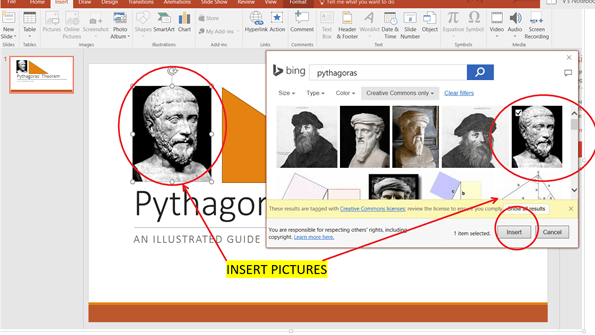
Images: users can insert downloaded images, or provided clip art.
Charts: the presentation software provides facilities for creating and inserting various chart types including bar, line, pie charts etc.
Animations – Objects can be set in motion on any slide. Objects include images, shapes, text boxes etc.
Transitions – Slides transform from one to the next in one smooth animation.
Example of presentation software are Microsoft Powerpoint and Prezi.
Having studied the principle of a stack, we will list the principle of operation for a queue:
A queue models a real-life queue, for example, a queue (line) of people in a cafeteria waiting to order and pay for food.
The queue (line) of people can be thought of as a list with a :
Head or Front– the first person in the line, and the first to be served.
Tail or End – the last person in the line and the last to be served.
Every time an lunch order is processed, the head of the queue leaves the line, the entire line moves up , and the next person becomes the new head.
The queue ADT consists of a list of items and at least 3 reference variables which keep track of the location of the head, tail and the size of the queue. Operations on the queue are shown below:
Operation
Explanation
Example
Add(..) or Enqueue(..)
Adds/Enqueues an item to the end of the queue and updates the tail to point to the newly added item. if the queue is full, the item is not added and an error message displayed. If the queue is empty, add the new item at the head. In this case the head and tail point to the newly added item.
A person joins the end of the line at the cafeteria. If the line is full, the person cannot enter the line. If the line is empty, the person goes straight to the head, i.e the cash register.
Remove(..) or Dequeue(..)
Removes/Dequeues and returns the item at the head of the queue. If the que is empty, the remove operation fails , an error message is displayed. An appropriate dummy/null value is returned.
Accept payment from the person at the cash register and send them on their way. If there are more people in the line, the line moves up and the person at the front of the line is at the cash register.
Peek(..)
returns the item at the head of the queue. If the que is empty, the peek operation fails , an error message is displayed. An appropriate dummy/null value is returned.
Size(…)
Returns the size of the queue
IsEmpty()
Returns true if the queue is empty, i.e, size==0
Characteristics of a Queue
In creating a coded implementation of a queue using an array, we observe the following characteristics:
State:
Variable
Description
Value at initialization
size
Integer to keep track of the size f the queue.
0
head
Integer to keep track of the front of the queue. This value stores the array index of the head/front
0
tail
Integer to keep track of the tail/end of the queue. This value stores the array index of the tail/end
-1
MAX_SIZE
This stores he maximum size of the array; the array length
Sufficiently large, chosen by the programmer.
Behavior:
Items are added/enqueued using the tail index, items are removed/dequeued using the head index.
During the enqueue operation
If the queue is full
Cannot add, display error message
Else
Increment tail index
Place new data at tail index
Increment size
During the dequeue Operation
If the queue is empty
Display error message, return dummy value e.g -999
Else
Store the data that was at the head in a new variable, X
Increment the head index
Decrement size
Return X
During the Peek Operation
If the queue is empty
Display error message, return dummy value e.g -999


 Island Class