Computer Keyboards
Definition: Computer Keyboards allow for users to input text.
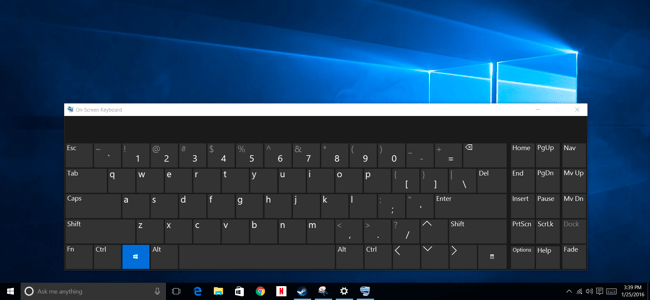
Computer Keyboards can be either implemented as physically as hardware or displayed by software on a screen as an on screen keyboard.
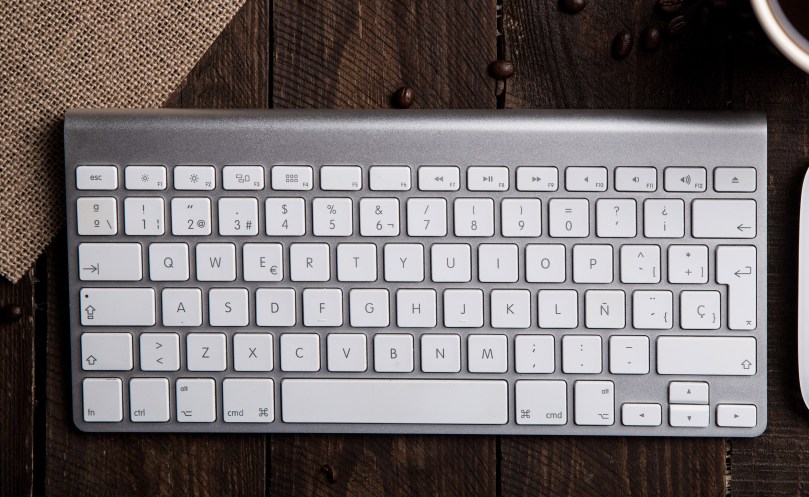 Figure 2 – Physical Keyboard
 [1]
[1]
Figure 3 – On Screen Keyboard
Keyboard layouts
Definition: Keyboard layout is the standard positioning of letters, numbers and symbols on a computer keyboard
There are many different keyboard layouts which are suitable for different purposes.
In the English language, the most popular ones are the QWERTY keyboard and the newly popular ABC Layout keyboard.
QWERTY Keyboard Layout
The QWERTY layout keyboard is the most popular. The Keyboard gets its name from the arrangement of letters found on the first lettered row of the keyboard:
Figure 4 A Qwerty Keyboard
The layout of the keyboard was influenced by how difficult it was to repair the keyboard when damaged.
Keyboards were originally used on the first typewriters. The typewriters were mechanical in nature and used a close arrangement of thin long hammers on levers triggered by the pressing of keys.
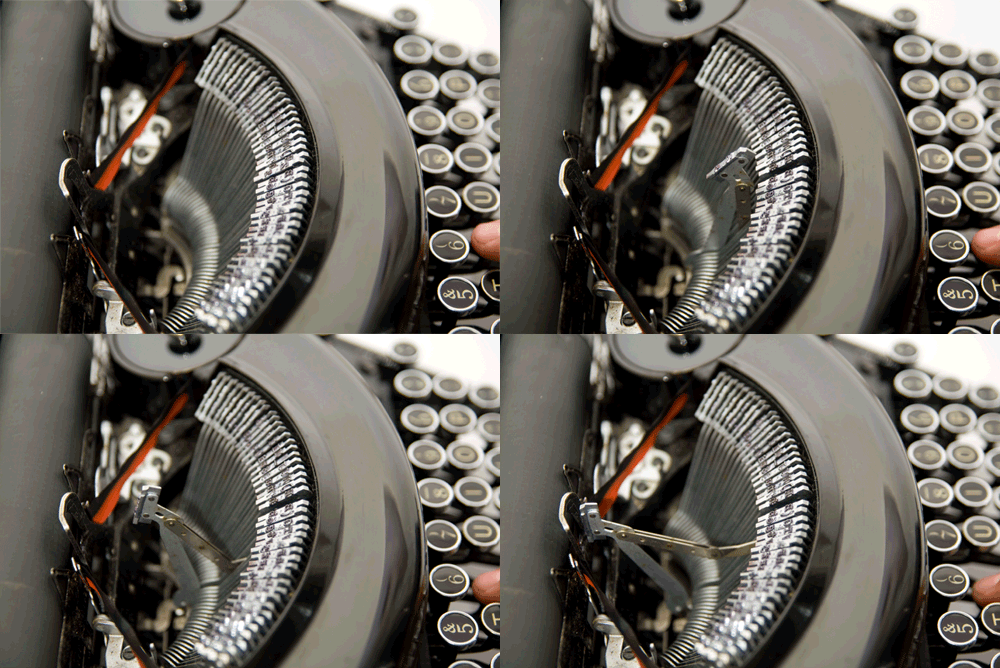
Figure 5 – Hammers of a typewriter (from:typewriters.ch/images/underwood_noiseless_portable_gif.gif)
The original keyboard layout for a typewriter was alphabetical. The problem was that typing at high speeds caused adjacent hammers to tangle or jam.
The keys were re arranged to a random order to deliberately slow down typing speeds in order to prevent tangles and other mechanical issues.
In other words, the keyboard was made difficult to learn to prevent typewriter breakdown.
Because typewriters using this layout became popular due to less breakdowns, the keyboard layout became widely adopted, and this layout has come to be expected in all modern computer systems due to it’s familiarity and conventional use.
ABC Layout Keyboards
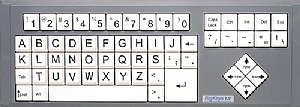
ABC Layout Keyboards are laid out in alphabetical and numerical order as shown below:
 [2]
[2]
Figure 7 ABC Layout Keyboard
This keyboard layout was only popular among hobbyists and was only designed as a proof concept. However, with the emergence of software onscreen keyboards for searching in popular apps such as youtube and Netflix, they have risen in popularity.
Most younger kids have a difficult time using a qwerty keyboard for the first time due to the difficulty in finding letters that are not in alphabetical order.
Because most kids (and some older users who don’t regularly use a computer) are already familiar with the order of the alphabet, the ABC layout is easy to learn for first time users.
Now, this keyboard layout has widespread use as an on screen keyboard on smart TVs and other touch screen apps because of its ease of adoption.
QWERTY users may find the ABC layout least difficult to adopt due to it’s logical alphabetical ordering.
What Are the main reasonS for other layouts ?
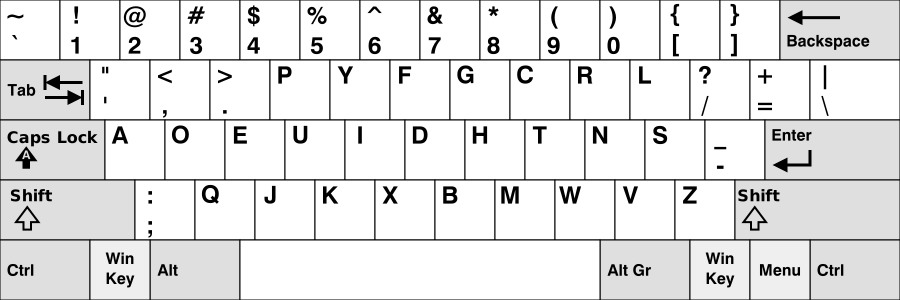
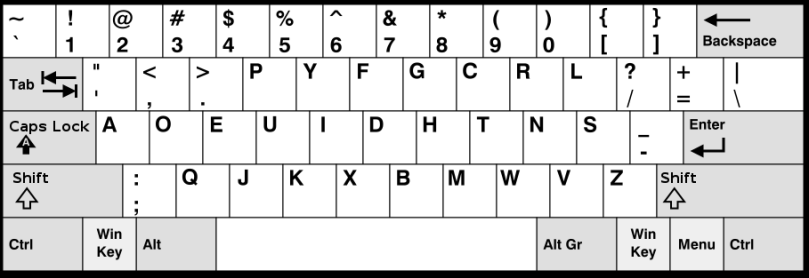
- Apart from hobbyist layouts, other layouts are used when the script (letter types ) are different in other languages. An Example is shown below:
[3]
Figure 6 Devorak Simplified keyboard
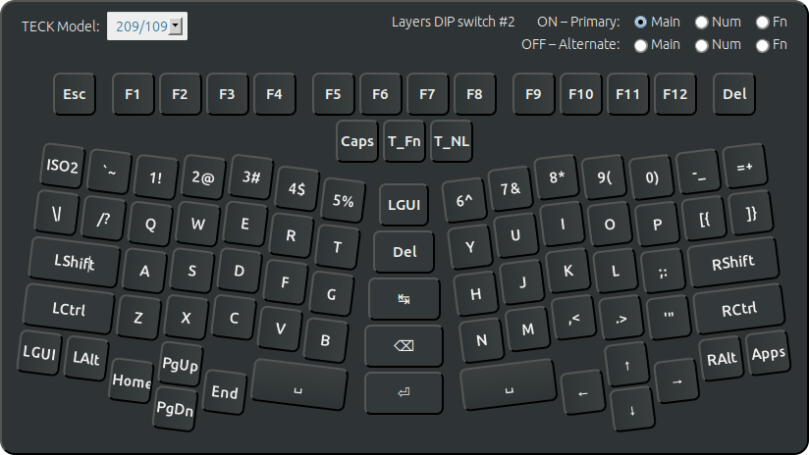
- Other Layouts are intended to improve ergonomics in order to reduce repetitive strain injury. An example is shown below:
 [4]
[4]
[1] https://www.howtogeek.com/240288/how-to-use-the-on-screen-keyboard-on-windows-7-8-and-10/
[2] http://www.ergocanada.com/products/keyboards/big_keys/bigkeys_bklx.html
[3] https://upload.wikimedia.org/wikipedia/commons/2/25/KB_United_States_Dvorak.svg
[4] http://xahlee.info/kbd/Truly_Ergonomic_keyboard_layout.html
© 2018 Vedesh Kungebeharry. All rights reserved




 Island Class