Presentation software is used to display information one slide at a time. The term “slide” can be thought of as a single poster used to display a small number of points or a single idea.
Presentation software was made to mimic the behaviour of a traditional slide projector.
Many slides are displayed one at a time by the presenter. The presenter can include the following items on slides:
Text – including short points on the topic being presented. Text is usually held within a Textbox.
Shapes – including pre defined shapes e.g circle, square etc.
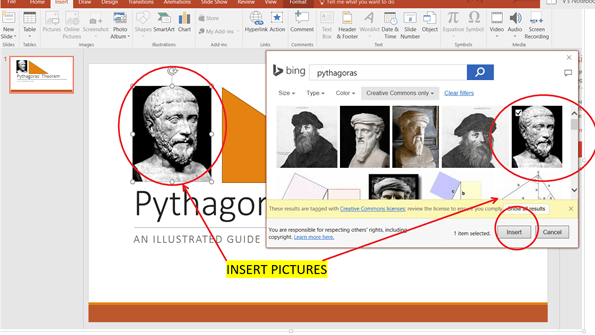
Images: users can insert downloaded images, or provided clip art.
Charts: the presentation software provides facilities for creating and inserting various chart types including bar, line, pie charts etc.
Animations – Objects can be set in motion on any slide. Objects include images, shapes, text boxes etc.
Transitions – Slides transform from one to the next in one smooth animation.
Example of presentation software are Microsoft Powerpoint and Prezi.
In a linear search, each element of the array is traversed by using iteration. Each element in the traversal is compared against a search key. If the key is found, the location of the array index is returned. If the entire array is traversed without finding the key, dummy value is returned (e.g. -1)
Linear search Algorithm and Implementation
Given a list of items of a finite size and a Key we traverse the list to find the key and output the location of the key(s) found in the list.
Consider the scenario where we have a list with unique items (in an array) and we wish to find a key.
We set up an Real array of size 10 named “list” and initialized with the following values:
array named “list” of size 10 with data values
We could implement a function as shown below:
Linear search function
Below is an example of how the function can be used:
Using linear search on the array “list” with data.
Exercises
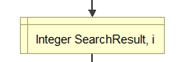
Identify the sentinel variables in the LinearSearch function.
Show the trace table for all variables found within linear search when the following function calls are made using the array “list” initialized in the figure 1 above:
a) LinearSearch(10,list,300) b) LinearSearch(10,list,19) c) LinearSearch(2,list,19)
Hint: Use the following trace table format:
Step
size
key
SearchResult
i
1
2
3
4
5
Note that an optional column, called “step” is used to keep track of each variable change such that a step is considered to be any time time a variable is initialized or changed.
You do not need to show the list array.
Assume that no value is assigned during a variable declaration. E.g
will not be shown as a step in the trace table.
As an example, this table has been filled to the 4th step for part a) above.
Step
size
key
SearchResult
i
1
10
2
300
3
-1
4
0
5
Example trace table
Updates
2022/02/03 –
Added introductory paragraph: “In a linear search, each …… is returned (e.g. -1)”
Sometimes we wish to change the order of processing based on certain conditions.
This can be accomplished by using a selection construct pictured below:
We will examine this in the following example:
Jim is a salesman for an auto car company. If his total sales for the week exceeds $10000 he is rewarded a sales commission of 8 percent of the sale, if not he is awarded no commission.
Create a flowchart algorithm which accepts the total sales and outputs the commission.
Exercise:
The problem is modified such that if the total sales were less than $10000 he would receive a commission of 4 percent. See changes below:
Jim is a salesman for an auto car company. If his total sales for the week exceeds $10000 he is rewarded a sales commission of 8 percent of the total sales, if not he is awarded a commission of 4 percent.
Create a flowchart algorithm which accepts the total sales and outputs the commission.
An algorithm in narrative form is not written in discrete steps. It is expressed as directions in paragraph form and instructions on how rules should be followed.
An algorithm in narrative form can be considered a precursor to pseudocode or a flowchart
An example is given below for the given problem statement
Problem Definition: A solution is needed which finds the circumference of a circle.
Algorithm in narrative form: Prompt the user to enter a non-negative value for the radius and store it. If the radius entered is negative or is not a number, keep on prompting the user and accept values until a suitable value is entered. Use the formula C=2*3.14* r to calculate and store the circumference. Output the circumference to the user and stop processing.






 Island Class