Designing Game Characters for Different Genres: Life Drawing, Skeleton, Muscles and Facial Expressions

Character design for games is the process of creating the look, proportions, movement and personality of the characters players control and meet. To design believable characters for different genres, artists study life drawing (drawing real people from observation), the skeleton (the framework of bones and joints), the muscle system (the muscles that shape and move the body) and facial character theory (how faces show emotion and personality).

Unit 1 introduced shape language and silhouettes in Character Design: Genre, Shape Language and Silhouette and gesture drawing in Motion and Figure Drawing for Animation and Games. This lesson goes under the skin: anatomy knowledge is what lets you exaggerate a character convincingly.

Designing for different genres

GenreTypical proportions and styleWhy
Platformer / familyBig head (2–4 heads tall), large eyes, simple shapes, bright colours.Readable at small sizes; appealing and expressive.
Action-adventureHeroic proportions (7.5–8 heads tall), strong silhouette, clear gear.Looks capable; poses and costume show abilities.
RPGVaried body types and costumes that show class and culture.Players must tell classes and factions apart instantly.
Puzzle / casualVery simple, often non-human mascots.Characters should support, not distract from, the puzzle.
Sports / simulationRealistic proportions and motion.Players expect believable bodies and movement.

1. Life drawing

Life drawing means drawing the human figure from real observation. For school and home practice, draw clothed classmates or family members in short poses, people in public places, athletes on TV, or a wooden artist’s mannequin. Start with quick 30-second to 2-minute gesture drawings to capture movement, then longer drawings to study proportions. A common measuring unit is the head: an average adult is about 7.5 heads tall, the halfway point is near the hips, and the elbows line up with the waist.
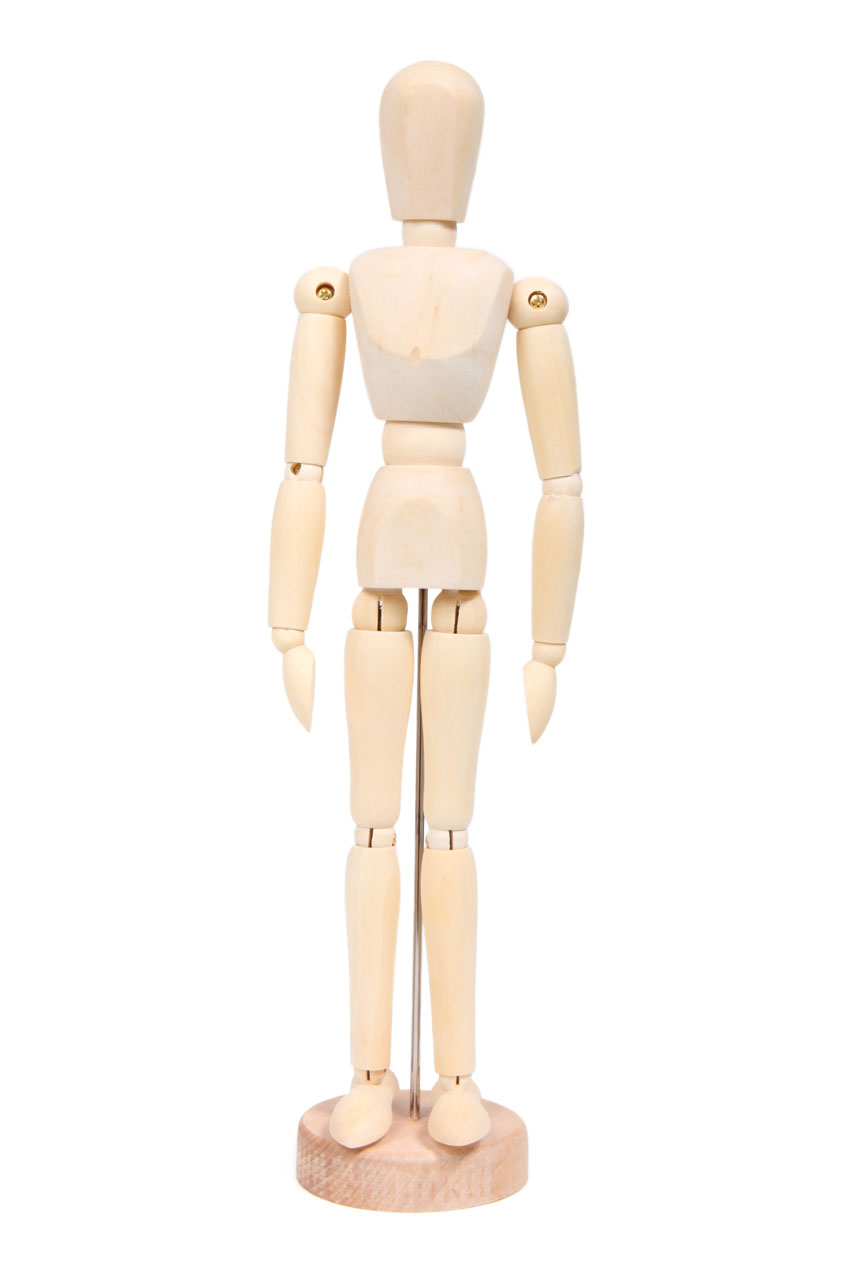
Light wooden artist’s mannequin standing upright
Figure 1 – An artist’s wooden mannequin. Its jointed limbs can be posed to study proportions and the angles of the body. Image: Petr Kratochvil, CC0, via Wikimedia Commons.

2. The skeleton

The skeleton sets proportions and decides where the body can bend. Artists do not need every bone name, but should know the main masses and joints: the skull, rib cage and pelvis (the three big masses), the spine that links them, and the joints at the shoulders, elbows, wrists, hips, knees and ankles. In 3D games, animators build a digital rig – a simplified skeleton of “bones” – inside the character model to move it, so knowing where real joints sit prevents rubbery, unnatural bends.

Historical engraving of two human skeletons seen from the front and the back
Figure 2 – Front and back views of the human skeleton (historical engraving). Notice the three big masses – skull, rib cage and pelvis – linked by the spine. Image: Wellcome Collection, CC BY 4.0, via Wikimedia Commons.

3. The muscle system

Muscles sit over the skeleton and create the body’s surface shapes. Key groups to learn are the shoulders (deltoids), chest (pectorals), upper arms (biceps and triceps), back, stomach (abdominals), thighs (quadriceps and hamstrings) and calves. Muscles contract (shorten and bulge) and stretch as the body moves, which is why a bent arm looks different from a straight one. Game artists exaggerate muscles to show strength (a heavy brawler) or simplify them for a friendly cartoon look.

4. Facial character theory

Facial character theory is the study of how faces communicate emotion and personality. Research by psychologist Paul Ekman suggests that some basic expressions – happiness, sadness, anger, fear, surprise and disgust – are recognised across many cultures. Three zones do most of the work: the eyebrows (the most expressive feature), the eyes and eyelids, and the mouth. Muscles around the eyes and mouth pull these features into each expression.

Medical illustration of the face showing numbered muscles around the forehead, eyes, cheeks and mouth
Figure 3 – Front and side views of the muscles of facial expression. Knowing where these muscles pull helps artists draw believable expressions. Image: CNX Anatomy 2013, CC BY 4.0, via Wikimedia Commons.
Sheet of black-and-white cartoon faces showing different expressions
Figure 4 – A page of cartoon facial expressions from J. Campbell Cory’s 1912 guide The Cartoonist’s Art. Cartoonists exaggerate the eyebrows, eyes and mouth so each emotion reads instantly. Image: J. Campbell Cory, Public domain, via Wikimedia Commons.

Personality shows too: a character who often raises one eyebrow seems sceptical; one with soft, rounded features and wide eyes seems innocent. Designers create an expression sheet showing the character’s key emotions so all artists and animators draw them consistently.

Disney animator Aaron Blaise demonstrates how to draw simple, clear facial expressions:

Example

A student designs the same fisher character for two genres. For a family platformer, she is 3 heads tall with a round body, huge eyes, a bright yellow raincoat and simple muscle shapes; her expression sheet exaggerates joy and surprise. For an action-adventure, she is 7.5 heads tall with realistic proportions based on life drawings of a classmate in a raincoat; the student checks joint positions against a skeleton reference so her rope-throwing pose bends at the right points, and adds defined shoulder and forearm muscles to show years of hauling nets.

Exercise

  1. Do ten 1-minute gesture drawings of clothed people or a wooden mannequin, then one 10-minute drawing measured in head units.
  2. Draw a simplified skeleton (skull, rib cage, pelvis, spine and limb joints) in three action poses.
  3. Draw the same arm straight and bent. Show how the biceps and triceps change shape.
  4. Create an expression sheet for a game character showing the six basic emotions, then redesign the character for a different genre.

Next: Creating Game Environments: Layout, Composition, Colour and Foreground–Midground–Background Layers

Syllabus link: This post is relevant to the CAPE® Animation and Game Design Syllabus, Unit 2: Interactive Design and Game Development, Module 3: Animation for Games – Specific Objective 3 (“employ design skills to create characters for different genres of games”).

Attributions to media used in this post:

Wooden Mannequin.jpg – Petr Kratochvil – CC0 (via Wikimedia Commons)

Human skeleton; front and back views. Coloured line engravin Wellcome V0008004.jpg – Wellcome Collection – CC BY 4.0 (via Wikimedia Commons)

1106 Front and Side Views of the Muscles of Facial Expressions numbered.jpg – CNX Anatomy 2013 – CC BY 4.0 (via Wikimedia Commons)

Facial expressions – The Cartoonist's Art.jpg – J. Campbell Cory – Public domain (via Wikimedia Commons)

© 2026 Vedesh Kungebeharry. All rights reserved.

Characters and Environments in Games: Archetypes, Scale, Time of Day and Camera

Game characters are the imaginary people, creatures or objects that players control, meet, help or fight. They are shaped by character design (how they look, move and behave) and by character archetypes – familiar story roles such as the hero, shadow, mentor, ally, guardian, trickster and herald. The game environment is the world those characters exist in, described by its scale, time of day, physical characteristics and camera view.

Visual character design was covered in Character Design: Genre, Shape Language and Silhouette and Character Turnarounds and Model Sheets; environment art in Environment Design, Genres and Digital Artwork and Conceptualising Environments: Layers and Depth of Field. Here we look at the role characters and environments play in a game’s design.

Character design for games

Game characters must work in ways film characters do not:

  • Readability: they must be recognisable at small sizes and in fast motion, so silhouettes and colours must be clear.
  • Gameplay fit: a heavy character should move heavily; a speedy character should look light. Appearance should hint at abilities.
  • Animation needs: every character needs a set of animations (idle, walk, run, jump, react), so designs should be practical to animate.
  • Player connection: a player character may be a blank slate the player projects onto, or a strong personality the player accompanies.

The seven character archetypes

Archetypes come from Joseph Campbell’s study of myths and Christopher Vogler’s The Writer’s Journey. They are roles, not fixed personalities – one character can play different roles at different times.

ArchetypeRole in the storyGame example of the role
Hero / protagonistThe main character who grows and drives the story; usually the player.The player character setting out to save the kingdom.
Shadow / villain / antagonistOpposes the hero and represents the main conflict.The final boss or a rival.
MentorGuides, teaches and gives gifts or advice to the hero.The tutorial character who explains the controls and gives the first tool.
AllyHelps the hero on the journey, offering friendship and support.A companion who fights alongside the player or gives hints.
Guardian (threshold guardian)Blocks the way and tests the hero before a new stage.A gatekeeper or mini-boss who must be beaten or convinced.
TricksterBrings humour, mischief and change; questions the rules.A cheeky sidekick or a folklore figure like Anansi.
HeraldAnnounces change and calls the hero to adventure.A messenger, letter or radio call that starts the quest.

Screenwriting teacher Christopher Vogler explains these character types in this interview:

Cartoon rabbit standing in a sunny forest clearing
Figure 1 – Big Buck Bunny in his forest. Scale (a big, round rabbit dwarfed by even bigger trees), time of day (soft daylight filtering through the leaves) and physical characteristics (grass, rocks, roots and tree trunks) all shape how the scene feels. Image: Blender Foundation / Project Peach, CC BY 3.0, via Wikimedia Commons.

Describing the game environment

Scale

Scale is the size of the world and objects compared to the player. Huge spaces make players feel small and adventurous; tight spaces feel tense or cosy. Scale also affects gameplay: a large open map needs fast travel or vehicles, while a small room suits a puzzle.

Time of day

Time of day changes light, colour and mood. Morning feels hopeful, midday is clear and easy to read, sunset is dramatic and night is mysterious. Some games have a day–night cycle that changes gameplay: certain characters appear only at night, or shops close in the evening.

Physical characteristics

Physical characteristics are the features of the place: terrain (hills, water, sand), weather, vegetation, buildings, materials and hazards. They should support both story and play – ice is slippery, deep water blocks the path, tall grass hides the player.

Camera view

The camera view decides how the environment is shown. A top-down view shows layout and routes; a side view emphasises jumping and height; a first-person view makes the world feel immediate. Environment artists design differently for each view – for example, the roofs matter a lot in top-down games but hardly at all in side-scrollers.

Painted concept art of a wooden hut surrounded by plants and props
Figure 2 – Concept art of a shaman’s hut. The physical characteristics – building materials, props and plants – tell players about the culture of the people who live there. Image: David Revoy / Blender Foundation, CC BY 3.0, via Wikimedia Commons.

Example

Here is a character and environment description for an adventure game called River of Lights:

  • Hero: Kai, a 12-year-old boat builder; small, quick and curious, with a bright red scarf for readability.
  • Mentor: Grandma Mira, who teaches Kai to read the stars.
  • Herald: a glowing firefly that appears on the first night and leads Kai away from the village.
  • Guardian: a giant river turtle who will only let Kai pass after solving her riddle.
  • Trickster: a mischievous monkey who steals items but sometimes reveals shortcuts.
  • Shadow: the Mist, a silent force that dims all light along the river.
  • Environment: a wide river valley (large scale), explored mostly at dusk and night (time of day), with mangroves, rapids and stilt houses (physical characteristics), shown from a third-person camera behind the boat (camera view).

Exercise

  1. Identify the seven archetypes in a game, film or folk tale you know. Is any character playing more than one role?
  2. Design a game character. Draw it and explain how its appearance tells players about its abilities and its archetype.
  3. Describe the environment of a game level using the four headings: scale, time of day, physical characteristics and camera view.
  4. Change one of those four features for the same level (for example, day to night). Explain how the gameplay and mood would change.

Next: The Game UI Design Process and How to Tell Good UI From Bad UI

Syllabus link: This post is relevant to the CAPE® Animation and Game Design Syllabus, Unit 2: Interactive Design and Game Development, Module 2: Game Design and Development – Specific Objective 12 (“describe the characters in a game”); Specific Objective 13 (“describe the environment in a game”).

Attributions to media used in this post:

Big Buck Bunny – forest.jpg – Blender Foundation / Project Peach – CC BY 3.0 (via Wikimedia Commons)

Environments-02-shaman-hut.png – David Revoy / Blender Foundation – CC BY 3.0 (via Wikimedia Commons)

© 2026 Vedesh Kungebeharry. All rights reserved.

How to Draw a Character Turnaround: Model Sheets, Views and Consistent Proportions

A character turnaround is a set of drawings that shows the same character from several angles, in the same pose and at the same size, lined up side by side. It is usually part of a model sheet: the official reference that everyone on a team uses so the character always looks the same, no matter who draws, models or animates it.

Turnarounds are used by animators, by 3D modellers (who place the views in their software as a guide) and by game artists who need a character from every direction. If you designed a character in Character Design for Different Genres, this is the next step.

The standard views

  • Front – facing the viewer.
  • Three-quarter front – turned about 45 degrees; often the most appealing view.
  • Side (profile) – turned 90 degrees.
  • Three-quarter back – turned about 135 degrees.
  • Back – facing away.

A simple turnaround may show only front, side and back. Games with top-down or isometric views often need four or eight directions for each sprite.

3D character of a girl holding a staff, shown from three different angles side by side
Figure 1 – A 3D turnaround of Spring, the main character of the open movie Spring, shown from several angles at the same height and in the same pose.

What goes on a model sheet

  • The turnaround itself.
  • Construction and proportions – the basic shapes and how many “heads” tall the character is.
  • Expressions – happy, sad, angry, surprised and so on.
  • Poses and actions – typical movements that show personality.
  • Details and notes – props, colour codes, and reminders such as “ears are always pointed”.
Model sheet of a blue cartoon gopher shown from several views with handwritten notes
Figure 2 – A model sheet for the Go gopher, the mascot of the Go programming language, showing views, proportions, expressions and notes on how to draw it.
Old pencil model sheet of a cartoon dog with construction lines and many poses
Figure 3 – A 1938 model sheet for Hound Dawg from the cartoon Hold It! (Fleischer Studios). Numbered construction lines show animators how to build the dog’s proportions, and the poses show how it moves.

How to draw a turnaround, step by step

  1. Finish the front view first, using simple shapes that are easy to repeat.
  2. Draw horizontal guide lines across the whole page at the top of the head, eyes, chin, shoulders, chest, waist, hips, knees and feet.
  3. Pick a neutral pose: standing straight with arms slightly away from the body. 3D modellers often ask for an A-pose or a T-pose (arms out to the sides).
  4. Draw the side view next to the front, making every feature touch the same guide lines.
  5. Add the three-quarter views, still using the guide lines.
  6. Draw the back view. For a symmetrical character you can flip the front outline as a starting point, but remember to move any one-sided details to the correct side.
  7. Check and clean up: compare heights, line up details, then add flat colour and notes.

Common mistakes

  • Height drift – the character gets taller or shorter from view to view.
  • Perspective – a turnaround is drawn flat (orthographic), with no perspective. All feet stand on the same ground line.
  • Swapped details – a badge on the left shoulder in the front view must still be on the character’s left in the back view.
  • Changing props – props must stay the same size and shape in every view.

Click the green flag in this Scratch project to watch a simple mannequin turn around through its views. Notice how the head, shoulders, hips and feet stay at the same heights:

Example

A turnaround for Zuzu the Hummingbird, the pre-school game hero from the previous lesson, would show five views on one page. Guide lines mark the top of her head, her eyes, the tip of her beak, the tops of her wings, her belly and her feet. Notes explain that her orange scarf always ties on her left side, her petal backpack is visible in the side and back views, and her wings are shown folded (a separate sheet shows them open for flying).

Three sketches of a small scruffy dog seen from different angles
Figure 4 – Concept sketches of the dog Autumn from Spring, drawn from more than one angle so the design can be understood in 3D.

Watch this short video to see a turnaround drawn from start to finish:

Exercise

  1. List the five standard views of a turnaround and explain why guide lines are important.
  2. Practise on an object: draw a water bottle or mug from the front, side and back using guide lines.
  3. Create a five-view turnaround of the character you designed in the last lesson. Include its prop and label its special abilities.
  4. Swap with a partner. Check each other’s turnarounds for height drift, swapped details and changing props.
  5. Optional: import your views into Scratch as costumes and make your character turn around, like the project above.

Next: Conceptualising Environments: Layers, Depth of Field and Design Theory for Different Genres

Syllabus link: This post is relevant to the CAPE® Animation and Game Design Syllabus, Unit 1: Fundamentals of Animation and Game Design, Module 3: Story and Character Development – Specific Objective 6 (“create character turnarounds”).

Attributions to media used in this post:

Spring-concept art-Spring.png – Blender Foundation (Spring open movie; uploaded by Julien Kaspar) – CC BY 4.0 (via Wikimedia Commons)

Go gopher model sheet.jpg – Renee French – CC BY 3.0 (via Wikimedia Commons)

Color Classics – Hold It! (1938) – Hound Dawg – Character Model Sheet.jpg – Dave Tendlar, Fleischer Studios – Public domain (via Wikimedia Commons)

Spring-concept art-Autumn 01.jpg – Blender Foundation (Spring open movie; uploaded by David Revoy) – CC BY 4.0 (via Wikimedia Commons)

© 2026 Vedesh Kungebeharry. All rights reserved.

Character Design for Different Genres: Shape Language, Silhouette, Colour, Props and Abilities

Character design is the process of creating how a character looks, moves and behaves so the audience understands who they are at a glance. Character theory is the set of ideas that explain why some designs communicate better than others, such as archetypes, shape language and silhouette. A good design also suits its genre: a hero for a pre-school game looks very different from a hero for a science-fiction adventure.

For anatomy and figure drawing, see Motion and Figure Drawing for Animation and Games. For characters inspired by folklore, see Folklore, Culture and Heritage in Animation and Game Design. This post is about design principles and genre.

Start with the role, not the drawing

Before sketching, decide what the character does in the story or game:

  • Archetype – a familiar role such as the hero, mentor, sidekick, trickster, guardian or villain. Archetypes help audiences understand a character quickly; your job is to add something fresh.
  • Personality – three key traits, a goal and a flaw.
  • Function in a game – player character, non-player character (NPC), enemy or boss. A game character’s abilities (jump, fly, climb, heal) must match the gameplay, and its design should hint at them.

Character design principles

Shape language

Shape language means using basic shapes to suggest personality:

  • Circles – soft, friendly, playful and safe. Common for young, cute or kind characters.
  • Squares and rectangles – solid, strong, stable and dependable, like a loyal protector.
  • Triangles – sharp, energetic, dynamic or dangerous. Pointing upwards they can suggest confidence; pointing downwards they can suggest menace.

Most designs mix shapes, with one shape in charge.

Cartoon mushroom creature with a big round red and white cap, large eyes and a wide smile
Figure 1 – Concept art of a mushroom sprite for the open movie Sprite Fright. Round shapes, big eyes and an oversized head make the character look small and friendly.

Silhouette

A strong character is recognisable even when filled in solid black. Test your design by filling the outline: can you still tell who it is and what they are doing? A clear silhouette is essential in games, where characters are often small on screen and must be recognised instantly.

Colourful cartoon character with green hair and sunglasses shown in several views, with black silhouettes below
Figure 2 – A character design sheet showing the character from several angles, a large action pose and, bottom left, black silhouettes used to check that the design reads clearly.

Proportion and exaggeration

Changing proportions changes how we read a character. Big heads, big eyes and short limbs look young and cute; long legs and a small head look elegant or powerful; a huge upper body looks strong. Decide how stylised your world is and keep every character in that style.

Colour

Choose a small palette of three to five main colours. Bright, saturated, warm colours feel cheerful and energetic; muted or cool colours feel calm, serious or mysterious. Make sure the character stands out against the backgrounds it will appear on (see Colour Theory, Texture, Composition and Layout). Remember that colour meanings vary between cultures.

Costume, props and abilities

Props (objects a character carries) and costumes tell us about a character’s job, culture and history. In games, a prop often shows an ability: a staff for magic, boots for speed, a lantern for exploring dark caves.

Sketch of a girl in winter clothes holding a tall carved staff, next to a small scruffy dog
Figure 3 – Concept art of Spring and her dog Autumn from the open movie Spring. Her tall staff is a prop that becomes part of her identity.

Designing for genre

Genre and audienceTypical design choices
Pre-school and young childrenRound shapes, big heads and eyes, bright friendly colours, simple silhouettes, no scary details.
Platformer and action-adventureClear silhouette, dynamic poses, one or two bold colours, visible abilities.
Fantasy and role-playingCostumes, armour and props that show class and culture; detailed but readable designs.
Science fictionTechnology built into costumes, clean geometric shapes, glowing accents.
ComedyStrong exaggeration, stretchy proportions and very expressive faces.
Horror (for older audiences)Unsettling proportions, sharp shapes, dark or desaturated colours.

Example

Brief: a hero for an adventure game for pre-schoolers (ages 3–5). Trinidad and Tobago is often called the “land of the hummingbird”, so the hero is Zuzu the Hummingbird.

  • Shapes – a round body and head (friendly), with a small triangular beak and tail so she still looks quick.
  • Proportion – a very large head and eyes for a cute, young look.
  • Colour – bright emerald green with a warm orange scarf that stands out against green forests.
  • Prop – a flower-petal backpack that carries seeds.
  • Special abilities – Hover (to reach high flowers), Zoom (a quick dash) and Seed Sprout (plants a seed that grows into a bridge or ladder).
  • Genre fit – Zuzu solves problems by helping and growing things, never by fighting, which suits young children.

Watch this video from Winged Canvas to see how studios use shape language:

Exercise

  1. Explain, with three examples from animations or games you know, how a character’s design matches its genre.
  2. Draw a simple character, then redesign it for two different genres. Label what changed (shapes, proportions, colour, props).
  3. Group activity: design a hero for a pre-schoolers’ adventure game. Write a short profile, draw six thumbnail silhouettes and choose the clearest one.
  4. Develop your chosen design with a colour palette, a prop and at least two special abilities. Label how each ability is used in the game.
  5. Keep your design. You will create a turnaround for it in the next lesson.

Next: How to Draw a Character Turnaround: Model Sheets, Views and Consistent Proportions

Syllabus link: This post is relevant to the CAPE® Animation and Game Design Syllabus, Unit 1: Fundamentals of Animation and Game Design, Module 3: Story and Character Development – Specific Objective 4 (“explain character design as it relates to genre”); Specific Objective 5 (“design genre-appropriate characters”).

Attributions to media used in this post:

Sprite Fright-concept art-sprite 01.jpg – Ricky Nierva / Blender Foundation – CC BY 4.0 (via Wikimedia Commons)

Fig. Character Design Model Sheet A (cc) 2017 01.jpg – Guilherme Silveira Dias – CC BY-SA 4.0 (via Wikimedia Commons)

Spring-concept art-Spring and Autumn 01.jpg – Blender Foundation (Spring open movie; uploaded by David Revoy) – CC BY 4.0 (via Wikimedia Commons)

© 2026 Vedesh Kungebeharry. All rights reserved.

Folklore, Culture and Heritage in Animation and Game Design (With Caribbean Examples)

Some of the most memorable animations and games are built on real culture: the stories, festivals, buildings and art of a particular place. Socio-cultural context means the social and cultural background that gives an idea its meaning. Applying it to your work means using your own community’s folklore (traditional stories and characters), heritage (what is passed down from the past) and everyday life to create characters and worlds that feel original and authentic.

This post uses Caribbean examples, but the method works anywhere. Wherever you live, your own culture’s folklore and heritage is a rich source of ideas.

Why use local culture in animation and games?

  • Originality – local stories give you characters and settings that audiences have not seen a hundred times before.
  • Authenticity – you know the details: the food, the music, the way people speak.
  • Preserving heritage – animation and games can keep traditional stories alive for younger generations.
  • Sharing with the world – a story told well can travel to audiences in other countries.

Folklore and character development

Folklore characters already have strong looks, personalities and rules, which makes them great starting points for character design. Here are some examples from Caribbean folklore, especially Trinidad and Tobago:

  • Papa Bois (French patois for “father of the forest”) – the keeper and protector of the forest and its plants and animals. He is often described as a short, strong old man with cloven hooves, a beard of leaves and small horns.
  • Mama Dlo or Mama D’Leau (from the French maman de l’eau, “mother of the water”) – the protector of rivers and river animals. She is usually shown as a woman with long hair whose body twists into snake-like coils from the waist down.
  • Soucouyant – a reclusive old woman by day who, at night, strips off her skin and flies across the sky as a ball of fire. Versions of this character appear across the Caribbean, for example as Ol’ Higue in Guyana and Jamaica.
  • Anansi – a clever spider trickster from the folklore of the Akan people of Ghana. His stories travelled to the Caribbean with enslaved Africans; in Jamaica he is often called Anancy.
Black and white illustration of Anansi from Annancy Stories, 1899
Figure 1 – An illustration from Annancy Stories (1899), a book of Jamaican folk tales written and illustrated by Pamela Colman Smith.

Notice how each character already suggests gameplay or story: Papa Bois and Mama Dlo protect nature, so they could be guides or guardians in an environmental game; Anansi wins by tricking bigger animals, which suits a puzzle or stealth game.

Festivals and celebrations

Festivals are full of colour, music, movement and costume design. Examples in the Caribbean include Carnival in Trinidad and Tobago, Crop Over in Barbados, Junkanoo in The Bahamas, and religious festivals such as Divali and Eid. Carnival “mas” (masquerade) has traditional characters with their own costumes and movements:

  • Moko Jumbie – a costumed dancer on tall stilts. The tradition is linked to West African stilt-dancing, and “jumbie” is a Caribbean word for a spirit.
  • Jab Molassie – the “molasses devil”. Jab comes from the French patois diable (devil), and players cover their bodies in molasses or oil. There are devil characters of different colours, such as the blue devils of Paramin in Trinidad.
Moko Jumbie stilt dancer in a colourful costume at a festival
Figure 2 – A Moko Jumbie stilt dancer performing at a festival. Tall, swaying movement like this makes a striking animated character.
Children painted blue performing as devil characters in Trinidad
Figure 3 – Children painted as blue devils at the Junior Jab competition in Paramin, Trinidad, during the Carnival season.

Monuments, artefacts and architecture

Real places and objects make excellent environments and props:

  • Monuments such as Brimstone Hill Fortress in St Kitts, a UNESCO World Heritage Site, could inspire a castle-style level.
  • Artefacts such as the steelpan, which was developed in Trinidad and Tobago in the twentieth century, or Indigenous pottery displayed in museums, can become collectable items or story clues.
  • Architecture such as colonial buildings and wooden houses decorated with “gingerbread” fretwork gives a town an instantly recognisable look.
Ornate wooden gingerbread house with fretwork in Port of Spain
Figure 4 – Boissiere House (1904) in Port of Spain, Trinidad, known for its decorative “gingerbread” woodwork.

Being respectful and accurate

  • Research from reliable sources: museums, libraries, heritage organisations and people who practise the tradition.
  • Ask elders and cultural practitioners; the syllabus even suggests inviting folk troupes and heritage experts to speak.
  • Avoid stereotypes and do not turn living religious practices or sacred objects into jokes or monsters.
  • Credit the stories and communities you draw from.

Example

Game concept: Guardians of the Forest. The player is a young hiker lost in a rainforest. Papa Bois tests the player with puzzles about protecting animals, Mama Dlo blocks rivers that have been polluted until the player cleans them, and Anansi appears as a helpful but tricky guide. The final level takes place at a festival in a town of gingerbread houses, with Moko Jumbies towering over the crowd.

Watch the animated video below to learn about Anansi and how his stories travelled:

Exercise

  1. Choose a folklore character from your own culture. Research it from at least two reliable sources and write down its appearance, powers and the lesson its story teaches.
  2. Design an animation or game character based on that folklore character. Draw a front view and describe how it moves.
  3. Choose a local festival, monument, artefact or building. Sketch an environment or prop for a game inspired by it.
  4. Write two sentences explaining how you made sure your design is respectful and accurate.

Next: Story Development and Scriptwriting for Animation and Games: Storyboards, Story Arcs and Characters

Syllabus link: This post is relevant to the CAPE® Animation and Game Design Syllabus, Unit 1: Fundamentals of Animation and Game Design, Module 2: Drawing and Layout – Specific Objective 7 (“apply socio-cultural context to the development of local ideas and concepts”).

Attributions to media used in this post:

Anansi-34.png – Pamela Colman Smith – Public domain (via Wikimedia Commons)

Moko Jumbie in Sugarland tx.jpg – Beniray – CC BY-SA 4.0 (via Wikimedia Commons)

Jab Jab.jpg – Lesley Granderson – CC BY-SA 4.0 (via Wikimedia Commons)

Boissiere House (13411012855).jpg – David Stanley – CC BY 2.0 (via Wikimedia Commons)

© 2026 Vedesh Kungebeharry. All rights reserved.

Motion and Figure Drawing for Animation and Games: Gesture, Anatomy and Character Design

Before a character can move on screen, someone has to draw it moving. Motion drawings are drawings that capture a body in action: walking, jumping, throwing or dancing. Figure drawing is drawing the human (or animal) body, usually from a live model, so that you understand how it is built and how it moves.

In this post we look at the main types of motion drawings and the drawing and design principles animators and game artists use to create believable characters.

Types of motion drawings

1. Gesture drawing

A gesture drawing is a very quick sketch (often 30 seconds to 2 minutes) that captures the action, energy and pose of a figure, not its details. Artists often start with a single curved line of action that runs through the body, then add the head, shoulders, hips and limbs with loose lines. Gesture drawing trains you to see the whole movement first.

2. Dynamic figure drawing

Dynamic figure drawing goes further. The figure is drawn with a clear sense of weight, balance and force, often with twisting, stretching and foreshortening (parts closer to the viewer look bigger). A dynamic pose looks as if it could move at any moment, which is exactly what action scenes and game characters need.

3. Figure in motion

Drawing a figure in motion means drawing a sequence of poses that show how a body changes over time, such as the steps of a walk or a run. Animators call these key poses and in-betweens, and a looping set is called a cycle (for example a walk cycle). The photographer Eadweard Muybridge made famous photo sequences of people and animals moving in the 1870s and 1880s, and artists still study them today.

Animated photo sequence of a man walking beside a boar
Figure 1 – Eight photographs of a man walking with a boar, taken by Eadweard Muybridge (1878–1879), played in a loop. Notice how the arms and legs swing in opposite directions.

4. Humanoid and non-humanoid characters

  • Humanoid characters have a body plan like a human: a head, a body, two arms and two legs. Humans, robots, elves and many cartoon animals that walk upright are humanoid.
  • Non-humanoid characters have a different body plan, for example a dog, a bird, a snake, a dragon, a car or a talking teapot. You need to study how that creature or object moves: four-legged animals, for example, move their legs in a different pattern from people.
Animated photo sequence of a galloping dog
Figure 2 – A galloping dog, from photographs by Eadweard Muybridge (1887). A non-humanoid character needs its own motion study.

Drawing and design principles for characters

Life drawing

Life drawing is drawing from a real, live model rather than from a photo or your imagination. Classmates, family members or even you in a mirror can pose. Life drawing builds your understanding of proportion, weight and balance faster than copying other drawings.

The skeleton

The skeleton is the frame that decides a character’s proportions and how its joints bend. Many artists begin a character with a simple stick figure or “bean and stick” armature: a line for the spine, ovals for the rib cage and hips, and lines for the limbs with dots at the joints. A common guideline is that an adult is about seven to eight heads tall, while cartoon and child characters often have bigger heads compared with their bodies.

Hand-labelled drawing of the bones of the human skeleton
Figure 3 – A labelled drawing of the human skeleton from an 1820s medical book. Knowing where the joints are helps you pose characters correctly.

The muscle system

Muscles sit on top of the skeleton and change the shape (silhouette) of the body. You do not need to learn every muscle, but knowing the big groups – shoulders, chest, arms, back, stomach, thighs and calves – helps you show strength, effort and body type. A muscle that is working usually looks bunched up, while the muscle on the opposite side stretches.

Facial features and expressions

For the face, artists use construction lines: a line down the middle of the head and a line across it. On a realistic adult head the eyes sit roughly halfway down. Moving the eyebrows, eyelids and mouth creates expressions such as happy, angry, surprised or sad, which are vital for acting in animation.

Diagram of facial proportions with guide lines through the eyes, nose and mouth
Figure 4 – Diagram of facial proportions using guide lines, based on the traditional artist’s formula.

Example

Suppose you are designing the hero of a platform game. You might:

  1. Do ten 1-minute gesture drawings of a friend running, jumping and landing.
  2. Choose the best pose and build it on a simple skeleton, keeping the character about four heads tall for a friendly cartoon look.
  3. Add muscles and clothing, then draw a sheet of five facial expressions.
  4. Draw the run as a figure in motion: four to eight poses that loop into a run cycle.

Follow along with the video below, which shows how to use simple stick figures to sketch gesture drawings and dynamic poses:

Exercise

  1. List the four types of motion drawings covered in this post and give one example of when each is useful.
  2. Ask someone to hold five different action poses for one minute each. Do a gesture drawing of each pose, starting with the line of action.
  3. Draw one humanoid and one non-humanoid character. Draw the simple skeleton first for each.
  4. Draw the same face showing three different expressions.

Next: Layers of an Environment and Perspective Drawing: Foreground, Midground, Background and 1-, 2- and 3-Point Perspective

Syllabus link: This post is relevant to the CAPE® Animation and Game Design Syllabus, Unit 1: Fundamentals of Animation and Game Design, Module 2: Drawing and Layout – Specific Objective 1 (“list types of motion drawings”); Specific Objective 2 (“apply drawing and design principles for layout /environment and character development”).

Attributions to media used in this post:

Boar walking.gif – Eadweard Muybridge – Public domain (via Wikimedia Commons)

Dog galloping.gif – Photographs by Eadweard Muybridge; animation by Waugsberg – Public domain (via Wikimedia Commons)

Drawing of the bones forming the skeleton..JPG – Alexander Burnett (National Library of Medicine) – Public domain (via Wikimedia Commons)

Facial proportions re shroud.PNG – TTaylor – CC BY 2.5 (via Wikimedia Commons)

© 2026 Vedesh Kungebeharry. All rights reserved.